

In frontend development, AI in UI/UX design is increasingly influencing the way users engage with applications. Modern user interfaces are evolving beyond static designs; they adapt dynamically by learning from user interactions in real time. This enables the delivery of more personalized and intuitive experiences.
This article explores how AI supports the five stages of Design Thinking, from understanding user needs to generating ideas, developing prototypes, and testing interfaces. The focus extends beyond visual aesthetics to consider how interfaces function and respond intelligently to user needs.
How does traditional Design Thinking work?
Design Thinking continues to be widely adopted due to its iterative approach to problem-solving. Similar to Agile methodologies, it emphasizes continuous user feedback and a strong focus on understanding user needs, particularly during the prototyping and testing phases. This approach facilitates more effective and timely problem-solving. Similar to Agile methodology, it emphasizes continuous user feedback and a strong focus on understanding user needs, particularly during prototyping and testing phases. This approach facilitates more effective and timely problem-solving.
The methodology consists of five stages, each aimed at simplifying complex challenges, questioning assumptions, and developing prototypes that can be tested early and repeatedly with actual users or relevant data.
For a broader introduction to the Design Thinking process, read our article on UX design and development.
Despite its strengths, Design Thinking remains fundamentally human-centered, which raises an ongoing question: Is artificial intelligence replacing the Design Thinking process, or is it enhancing its effectiveness?
AI and Design Thinking
Consider a common scenario: when beginning a registration process in a new application, a user may hesitate, hovering over buttons, scrolling, or navigating backward. This behavior often indicates uncertainty about the next step.
If an interface could detect this hesitation and subtly highlight the appropriate action, it would guide the user more effectively. This capability is no longer theoretical; AI technologies can enable such adaptive behaviors. Current applications include personalized content delivery, dynamic user interface adjustments, voice-based navigation, and predictive suggestions, all contributing to improved responsiveness, accessibility, and usability.
Although AI introduces tools that automate tasks and generate ideas, its integration with Design Thinking is not intended to replace the human-centered process. Rather, AI serves to augment and strengthen it by enabling faster progression through design stages. AI can enhance user insight analysis by predicting user behavior, converting complex data into actionable insights, and recommending real-time design refinements. These capabilities support more efficient prototyping and foster innovation within the design process.
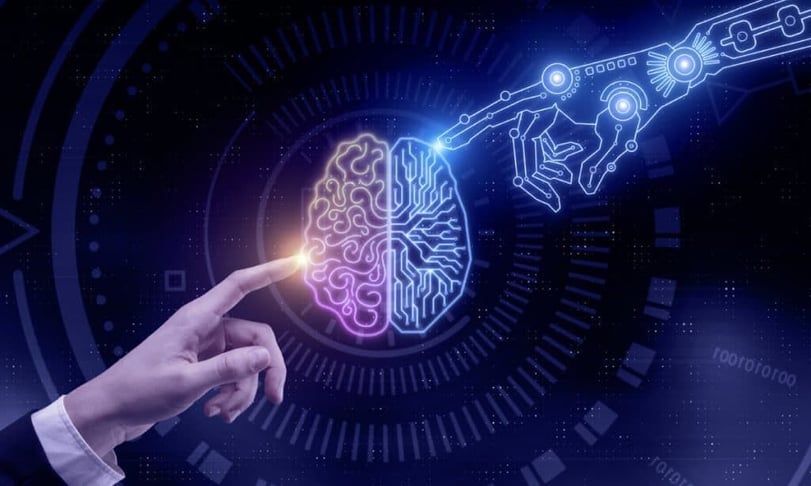
How AI supports the 5 stages of Design Thinking
AI has the potential to enhance each phase of the Design Thinking process. The following outlines how AI contributes to improvements across these stages:
Empathize
This initial stage focuses on gaining a deep understanding of user needs and behaviors. For example, when developing a healthcare application, collecting and analyzing thousands of survey responses through traditional methods could take several months.
AI provides tools that accelerate and improve empathy-driven research, enabling faster progression to subsequent stages. Specifically:
- User research: AI can efficiently process large datasets from surveys, interviews, analytics, and user journey maps. It identifies market patterns, user preferences, and emerging trends, uncovering insights that traditional research methods might overlook. This enables a more accurate understanding of user needs and pain points.
- Sentiment analysis: AI algorithms analyze social media activity, application reviews, and user feedback related to comparable products. By interpreting these data sources, AI helps construct detailed empathy maps that capture user emotions and experiences.
- User personas: Leveraging analytics, AI generates user profiles that provide a comprehensive view of the target audience, including behavioral patterns and specific needs.
Define
In this stage, AI reinforces the user-centered focus of Design Thinking by incorporating a data-driven approach. Specifically, AI contributes to:
- Identifying common pain points: By analyzing extensive data collected from diverse sources during the previous phase, AI can detect and prioritize key user issues. This enables design teams to concentrate their efforts on addressing the most significant challenges that impact both user experience and business objectives.
- Defining problem statements: Through AI-enhanced surveys and data analytics, teams gain deeper insights that support the precise formulation of problem statements, facilitating clearer direction for subsequent design activities.
Ideation
The Ideate stage focuses on generating a wide range of ideas and concepts. AI has the capability to extend beyond traditional creative processes by proposing alternatives that may be overlooked due to human limitations or biases.
For example, AI tools can support brainstorming by leveraging insights derived from identified pain points. Platforms such as ChatGPT, Google’s Gemini, Claude, or Ideanote can rapidly produce hundreds of ideas within minutes. These ideas can include innovative design concepts, user flows, or potential new features, providing teams with a broad foundation to further develop and refine solutions in subsequent sessions.
Prototype
Prototyping focuses on quickly translating ideas into tangible forms. AI can accelerate this stage by automating repetitive tasks and producing low-fidelity designs efficiently. Key contributions include:
- UI generation: AI tools can create multiple design variations or suggest enhancements based on sketches, text prompts, or existing projects. This allows teams to visualize concepts early and test ideas without extensive resource commitments. Tools such as Uizard, Google Stitch, and Figma AI can help design teams create wireframes, mockups, and interface concepts from sketches or text prompts.
- Code generation: AI platforms like Microsoft’s Sketch2Code (currently in experimental phases), Anima, and Builder.io can transform design files from tools such as Figma, Adobe XD, or Sketch into front-end code (HTML, CSS, and code compatible with frameworks like React, Vue, Svelte, and Angular). This integration promotes a smoother collaboration between design and development teams by bridging communication gaps. Additionally, platforms like Replit and Lovable can produce boilerplate code for specific functionalities using natural language prompts, although the complexity of the output depends on the quality of the input provided.
Test
Testing and refinement are critical steps following prototype development. This phase involves observing user interactions, collecting feedback, and identifying areas for improvement. AI contributes several advantages in this context:
- UI/UX testing: AI can anticipate potential usability issues and assess interface complexity, enabling teams to address problems before engaging in live user testing. For instance, AI can detect areas overloaded with information, excessive use of color, or sections requiring undue user effort.
- A/B testing: Traditionally, A/B testing compares user responses across different segments, often requiring significant time to reach statistical significance. AI can support more adaptive testing approaches by helping teams analyze user behavior and identify promising design variations. However, reliable conclusions still depend on appropriate experimental methods and sufficient data.
- Real-time analysis: Experience analytics platforms such as Contentsquare, which now incorporates Hotjar, help teams analyze user behavior through heatmaps, session replays, and feedback tools. These insights can reveal usability obstacles and support ongoing interface improvements.

Challenges of using AI in UI/UX design
While AI offers notable benefits in the Design Thinking process, its implementation also presents several challenges to consider:
- Selecting appropriate tools: With a wide range of AI platforms available, choosing the right tool that aligns with project objectives and design stages is essential. Key considerations include ease of use for designers and developers, as well as compatibility with existing codebases and workflows.
- Privacy considerations: Ethical handling of user data is critical during research, sentiment analysis, and behavior tracking. Ensuring transparent data collection practices and clear communication about data usage is not only a legal obligation but also fundamental to maintaining user trust.
- Model training and data quality: The effectiveness of AI outputs depends heavily on the quality and relevance of training data. Poor or misaligned datasets can lead to inaccurate recommendations, potentially undermining the design process. RRegular model evaluation, output validation, and data quality checks help mitigate these risks.
- Early involvement of end users: Although AI can generate valuable insights, excluding end users from early stages risks developing solutions that do not fully address their needs. Developing small proof-of-concept prototypes to demonstrate capabilities and gather user feedback is recommended.
- Hidden costs: Effective AI integration requires collecting substantially more detailed data than traditional analytics, including user behavior flows, micro-interactions, timing patterns, and decision paths. This proactive data logging demands additional resources for storage and processing, which should be accounted for in planning and budgeting.
Conclusion
Today’s users expect more than visually appealing interfaces; they demand experiences that understand and anticipate their needs in real time. Rather than relying on assumptions about future behavior, effective interfaces respond to users’ current contexts.
As this expectation grows, the integration of AI with the Design Thinking process represents more than a trend. It is transforming innovation, development, and design practices.
While AI offers valuable tools and insights, the relationship is not one of competition between AI and humans. Instead, it is a collaborative partnership aimed at enhancing user experiences that are both personal and intuitive, ultimately supporting the creation of exceptional products.
Explore AI-assisted UI/UX design with NetRom
Looking to improve your digital product's user experience? NetRom combines software design expertise with modern AI technologies to help organizations build intuitive and effective interfaces. Contact our team to discuss your design challenges.

Digital accessibility for businesses: WCAG and inclusive design

Design-driven software development: Building custom applications with the user in mind